How to Fix Genshin Impact Insufficient Storage Error in Windows Pc or Laptop
If you are a fan of the popular game "Genshin Impact" and encountering the "Insufficient Storage Error" while installing the game on your Windows PC or laptop, then don't worry, it's a common issue that can be easily fixed. This error usually occurs when the destination folder where you're trying to install the game doesn't have enough space. In this guide, we will provide you with step-by-step instructions to fix the "Genshin Impact Insufficient Storage Error" on your Windows PC or laptop.
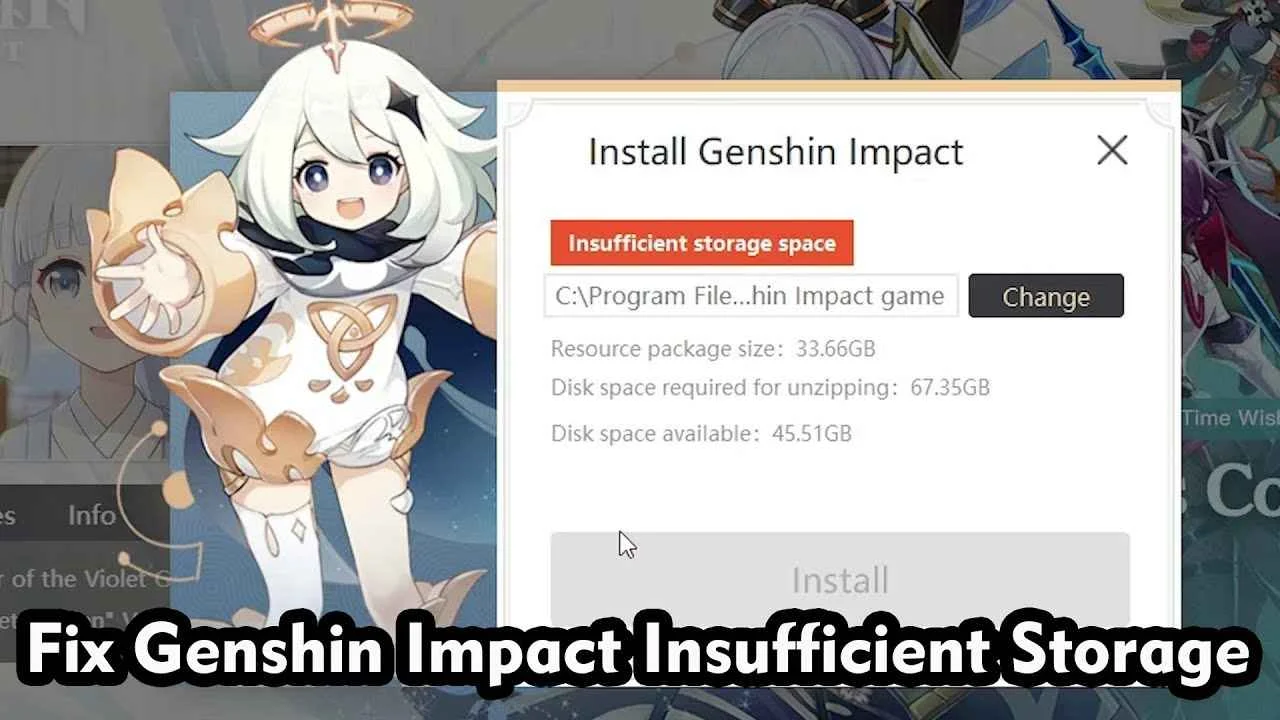
step-by-step process to fix the "Genshin impact error in sufficient space on disk, please try another destination" error. Here are the steps:
1) First, confirm that your destination folder is in the C drive and that it has run out of space. This is the reason for the error message.
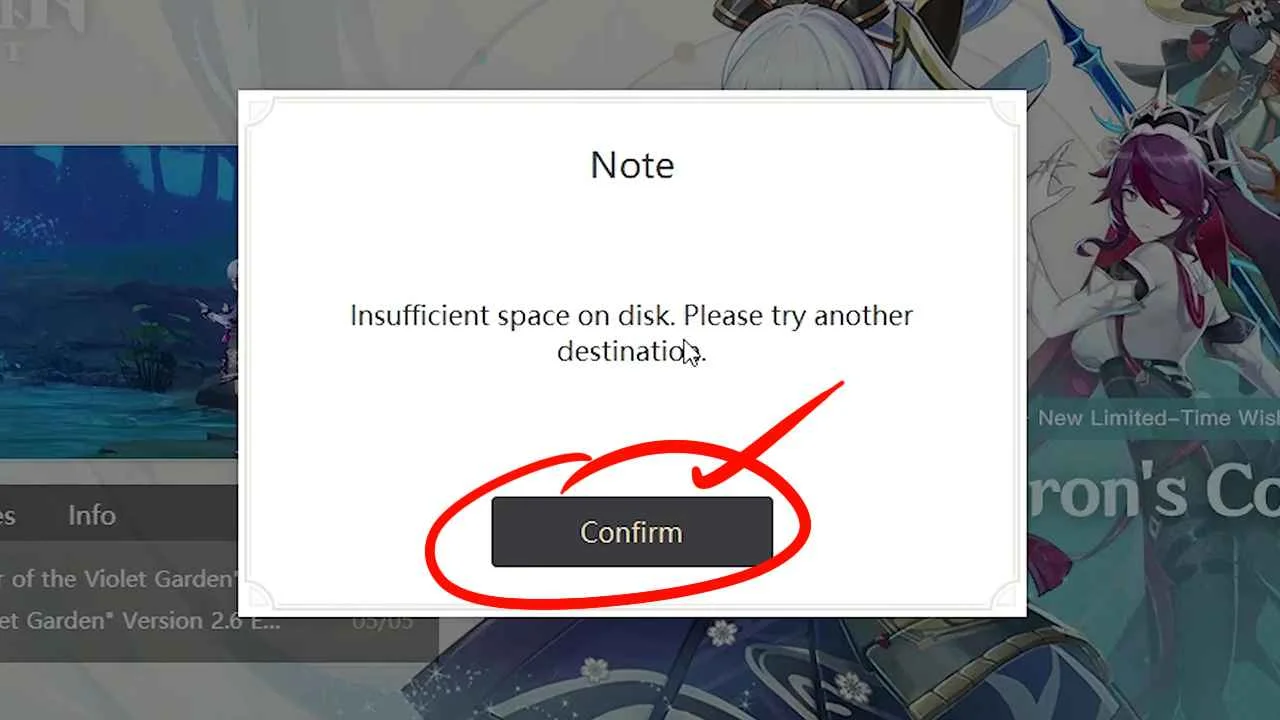
2) To fix this, you need to change the destination drive to another drive that has free space. Let's say we choose the D drive for this purpose. (You Can Slelect Any Drive)
3) To change the destination drive, go to the installer and look for the "change" option. Click on it.

4) Now, select the D drive as your destination drive. (Or Any Other Drive contains Free Space) .
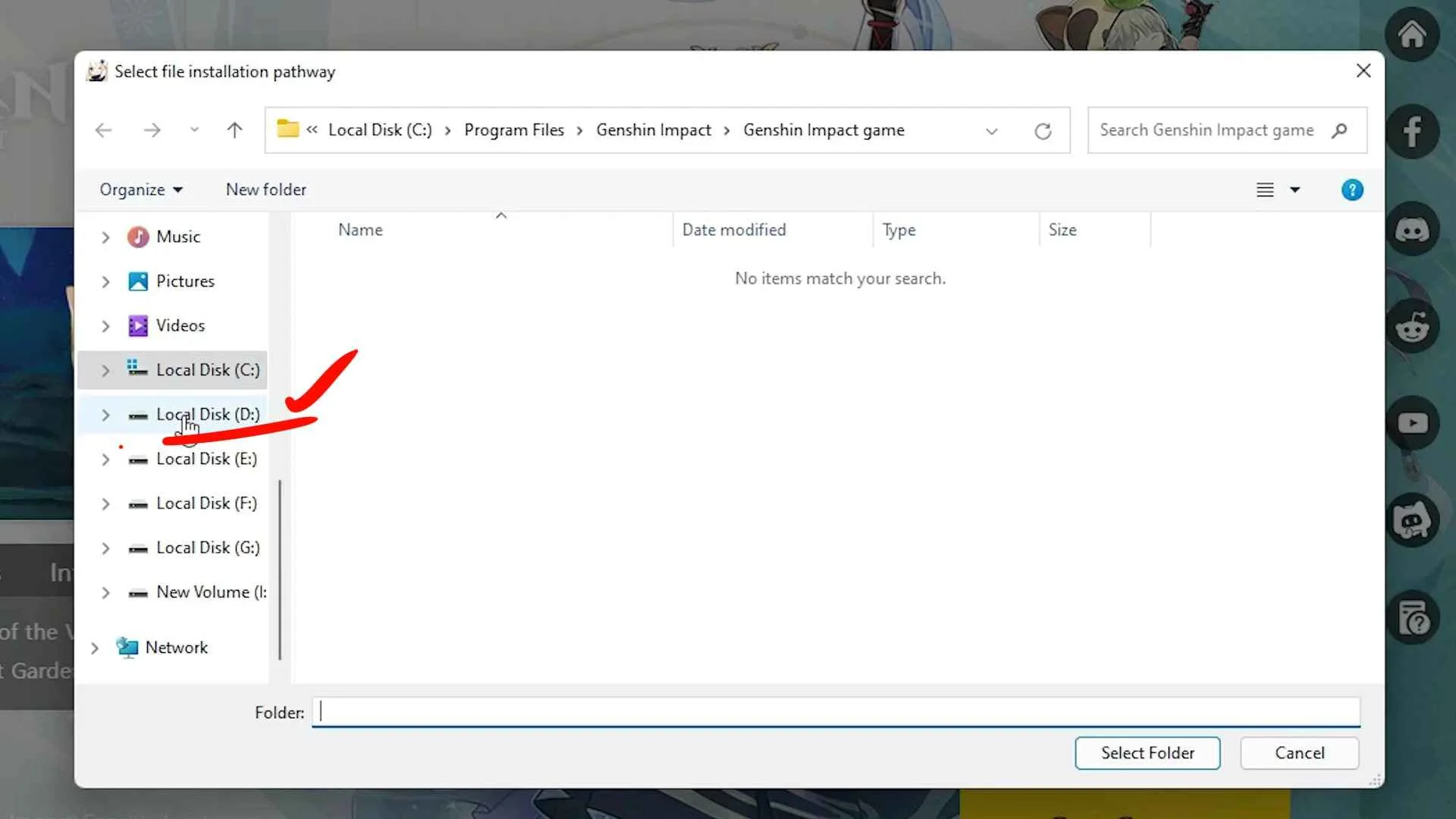
5) Create a new folder in the D drive with any name of your choice, for example, "new games." Select the newly created folder as your destination folder.

6) Click on the "Install" button to start the installation process.
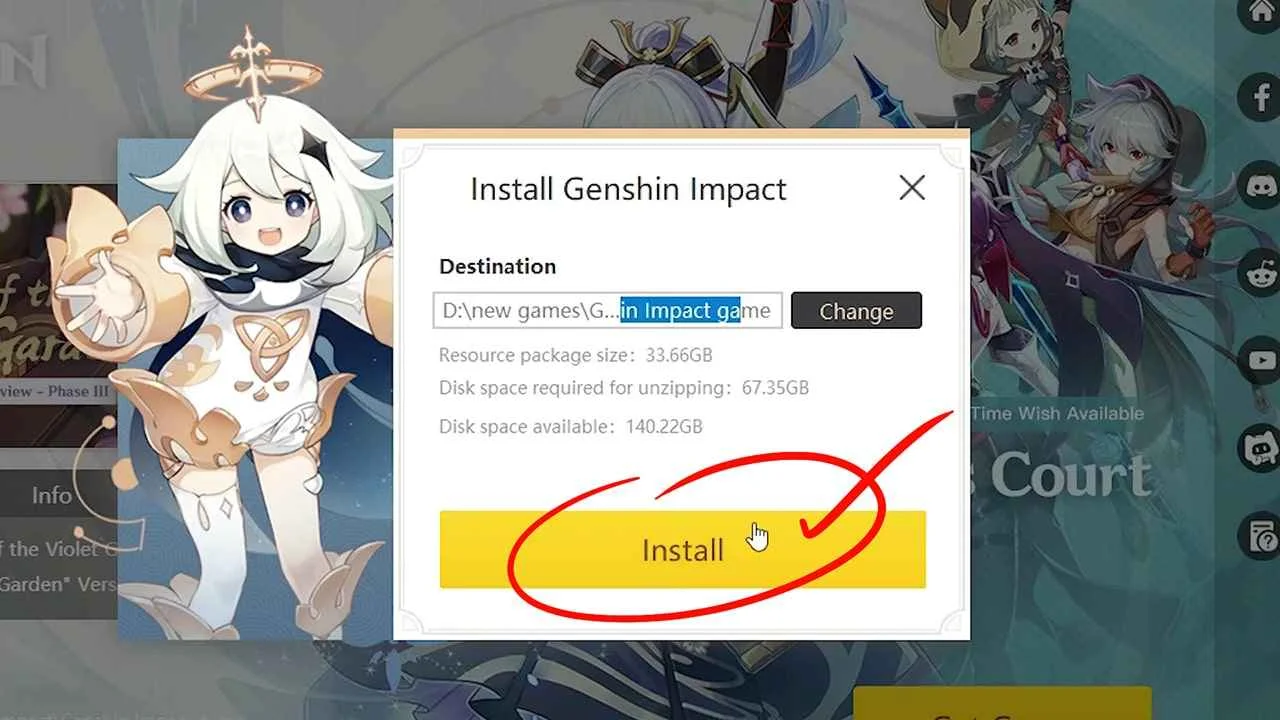
This time, the installation process should start without any error message since you have selected a drive that has enough space.
So, these are the simple steps to fix the "Genshin impact error in sufficient space on disk, please try another destination" error. By following these steps, you can easily install the game on your PC or laptop without any issues.
Comments
Login with Facebook